
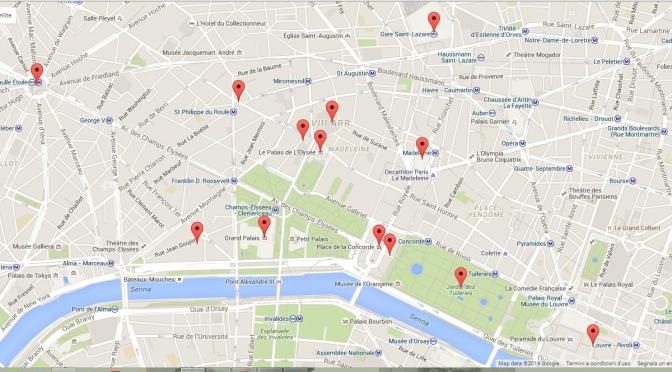
I can’t say enough good things about the benefits of using Google Maps to plan and execute a holiday. Everything from transportation to user reviews are available, and speaking as a vision impaired traveller you can avoid a lot of difficulty just by doing a little research. It also doesn’t hurt that most of the key GPS features are available in the phone app, which gives you instant access to the same information.
Whether you are plotting the grand holiday, or spontaneously winging today’s plan, Google Maps is a great place to generate ideas, particularly when visiting cities. As an example, look up Paris, France and then zoom in on its historic centre, bracketed by the Eiffel Tower at left and Notre Dame Cathedral right, and then zoom in. As you dive deeper into the map, restaurants, attractions and other points of interest emerge. The beauty of it is you can explore the area thoroughly, and let your imagination, rather a tour guide, determine your plans. Click on an item and a summary of basic info appears including opening times, a graph of visitor activity, and user reviews and user submitted photos. Map options include traffic and public transit routes, and even terrain info for people who don’t like to walk. Best of all, Google Maps` Directions and GPS feature allows you to plot out your route regardless if you are going by car, bus bike or on foot.
Reviews: Google Maps user reviews have their benefits. For one thing, a large number of reviews can indicate how busy a place can be. Restaurant review can also give an idea of what house specialties are available, and if English is spoken. However, I feel many reviews should be taken with a grain of salt. While it may be true that tourists can be too forgiving, it is equally true that many reviews are unnecessarily critical. In some cases, the reviewer may be predisposed to negativity, or have unrealistic expectations. A bad customer service incident may not accurately reflect the service standards at a specific site. This is particularly true in hotels where negative customer service incidents can be as much the fault of the guest as the hotel staff. I have read more than a few where to me its obvious the guest is taking revenge on a hotel because the customer service staff failed to comply with an unreasonable request. Likewise, restaurants can have good and bad days and a single unfortunate incident should not be taken too seriously. That being said, if most of the reviews are negative, or if the reviewers point to the same consistent problems, you should consider yourself forewarned.
Photography: I take a lot of pictures. The quality of outdoor photography is largely determined by light, which itself is dependent on the weather and the time of day. Google Maps provides not only street location, but also a detailed street layout, which will indicate if the sun is on the building in the morning or afternoon. The advantage is that by looking up the location in advance you can tell when the light will be at its best. It doesn’t work for everything of course. Some places have no best time, but in most cases, scouting the location can really make a difference. You can determine what views are available from user posted photos, but be forewarned, it will kill some of the surprise, and remind you that there are better, or at least, luckier photographers out there .
Google Maps Street View: Where would I be without Street View? Probably lost someplace. As a vision impaired traveller, Street View is a godsend. Simple navigation can be a challenge for a fully sighted traveller, but imagine if you can’t see where you’re going clearly, or can’t always trust what you see. What might seem like one thing from a distance may be something entirely different up close. As a navigational aid, Street View is especially helpful. You can virtually walk the course before you do it in person, identifying landmarks, spotting obstructions and plotting the path of least resistance to your location. I have found it especially useful in plotting the course to hotels from public transit stops. That short distance can be the longest part of your day if you are not sure where you are going. Street view is not perfect of course. The interface can be a little clunky at times, often taking you in directions you don’t want, or into unintended spaces such as tunnels or shops, but even with its quirks it is incredibly helpful.
While the Google Maps service features are constantly updated and improved year-over-year, it is not perfect, and has its occasional glitchy moments. Items pop in and out of view as you zoom, and the interface appears often to go haywire (especially on tablets). The Directions and GPS service it offers is most useful if you drive, but should never be used to blindly plot a route. Just because it is a minute or two faster at the moment you search the route doesn’t necessarily make it a better path to follow. For one thing, I believe you should still review the route before you start so that you know where you are going. maybe even taking the extra minute or two to use Street-view to look up land marks, or evaluate the number of lights, turns and traffic you might need to contend with. This is especially true where bridges, tunnels and underpasses are involved that can frequently generate confusing or contradictory directions. This extra step can also be invaluable if you are on foot, offering the opportunity to sequence potential stops on your route, allowing you to have fun while using your time more efficiently. If there is one genuine drawback to Google Maps, is that offers so much information you will experience déjà vu when you arrive. It kills the surprise.
 To the Ends of the Earth